


Ask a smart speaker to play a song, translate a sentence, or dim the lights, and almost none of the actual thinking happens inside the device on your desk. It happens hundreds of miles away, in a data center. The speaker is just the last few inches of a much longer journey - and that journey is what "cloud connected audio" actually refers to.
It's quietly become the backbone of everything from smart speakers and hearing aids to enterprise call centers and hospital paging systems. If you're building in IoT, voice AI, or communications, understanding how it works isn't optional anymore.
What Cloud Connected Audio Actually Is
At its simplest: any audio system that leans on cloud infrastructure - rather than local hardware alone - to store, process, sync, and enhance sound. Instead of a speaker doing all the work on its own chip, it talks to remote servers that handle noise suppression, voice recognition, and content delivery.
Compare an old transistor radio to a modern smart speaker. The radio does everything locally - receives a signal, plays it. A cloud-connected device is really just an endpoint: it captures sound or a command, sends it to the cloud, and waits for instructions back. The device doesn't need to be smart. The cloud is where intelligence lives.
This decouples audio quality and features from the physical hardware. A manufacturer can push a software update overnight, and every speaker in the field suddenly supports a new language or a better echo-cancellation model - without anyone touching the device itself.
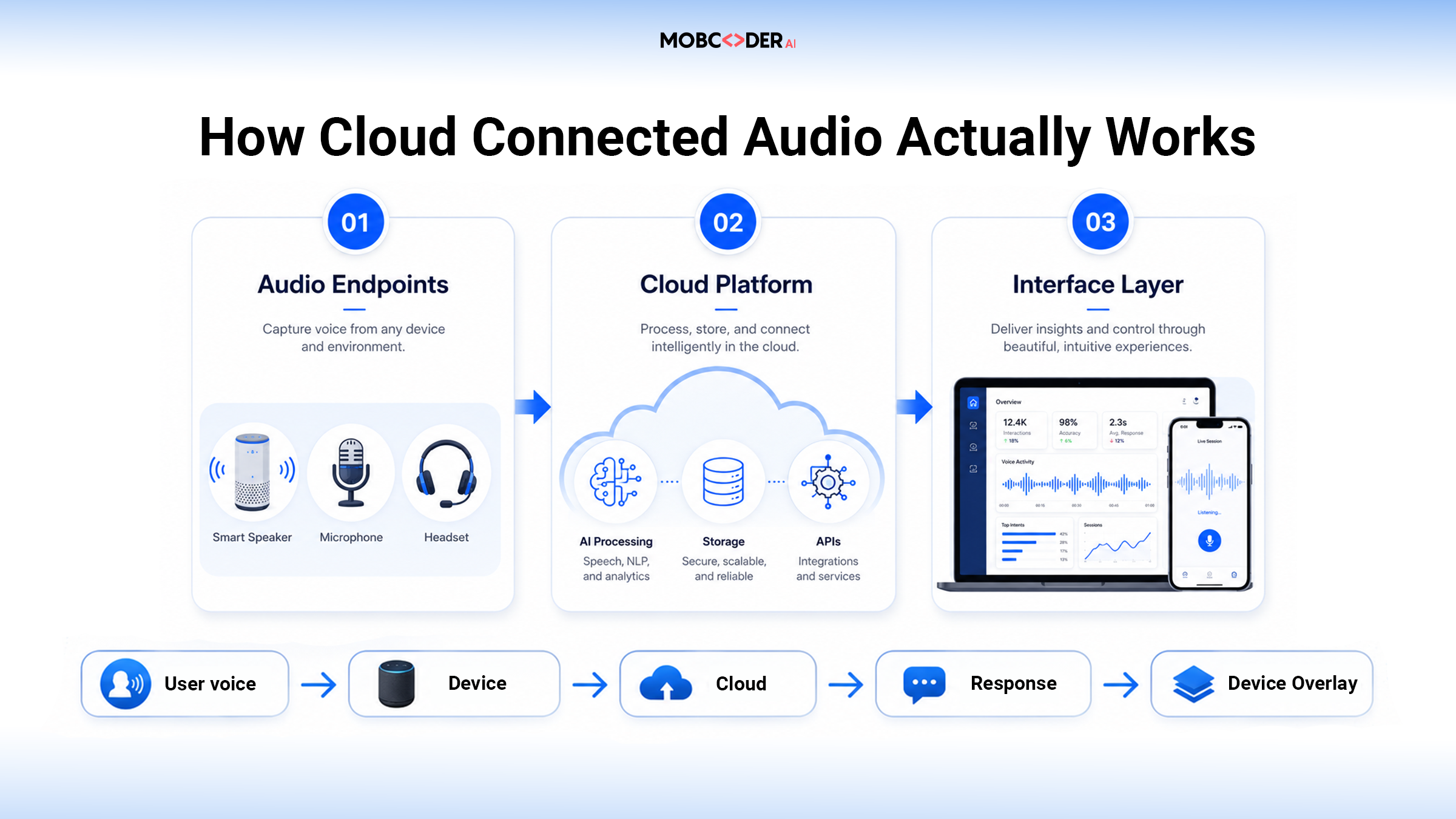
The Three Moving Parts
Audio endpoints - speakers, headsets, intercoms, microphones, hearing aids, conferencing hardware. Their job is capture and playback, not heavy computation.
The cloud platform - where the real processing happens: a network of servers running the software that manages audio streams, applies AI models, and coordinates devices at scale.
The interface layer - a mobile app, web dashboard, or admin panel, letting a person or ops team control the system: adjusting volume across a hundred stores, broadcasting an announcement, reviewing analytics.
When you speak a command, that gets digitized and sent as data packets to the cloud platform, which processes the request - maybe running it through speech recognition, checking permissions, pulling the right audio file - and sends instructions back, often within milliseconds.
Here's a simplified version of what a device's request to fetch and play a stream looks like:
// Device requesting an audio stream from a cloud audio API
async function fetchAudioStream(deviceId, command) {
  const response = await fetch("https://api.cloudaudioservice.com/v1/stream", {
    method: "POST",
    headers: {
      "Content-Type": "application/json",
      "Authorization": `Bearer ${process.env.CLOUD_AUDIO_TOKEN}`
    },
    body: JSON.stringify({
      device_id: deviceId,
      action: command, // e.g., "play", "broadcast", "mute"
      codec: "opus",
      sample_rate: 48000
    })
  });

  if (!response.ok) {
    throw new Error(`Stream request failed: ${response.status}`);
  }

  const data = await response.json();
  return data.stream_url; // device fetches audio from this URL
}
Nothing exotic - a standard REST call. The point: the "smart" part of a smart speaker is a well-designed API contract between a lightweight device and a much heavier cloud backend.
Why Businesses Are Making the Switch
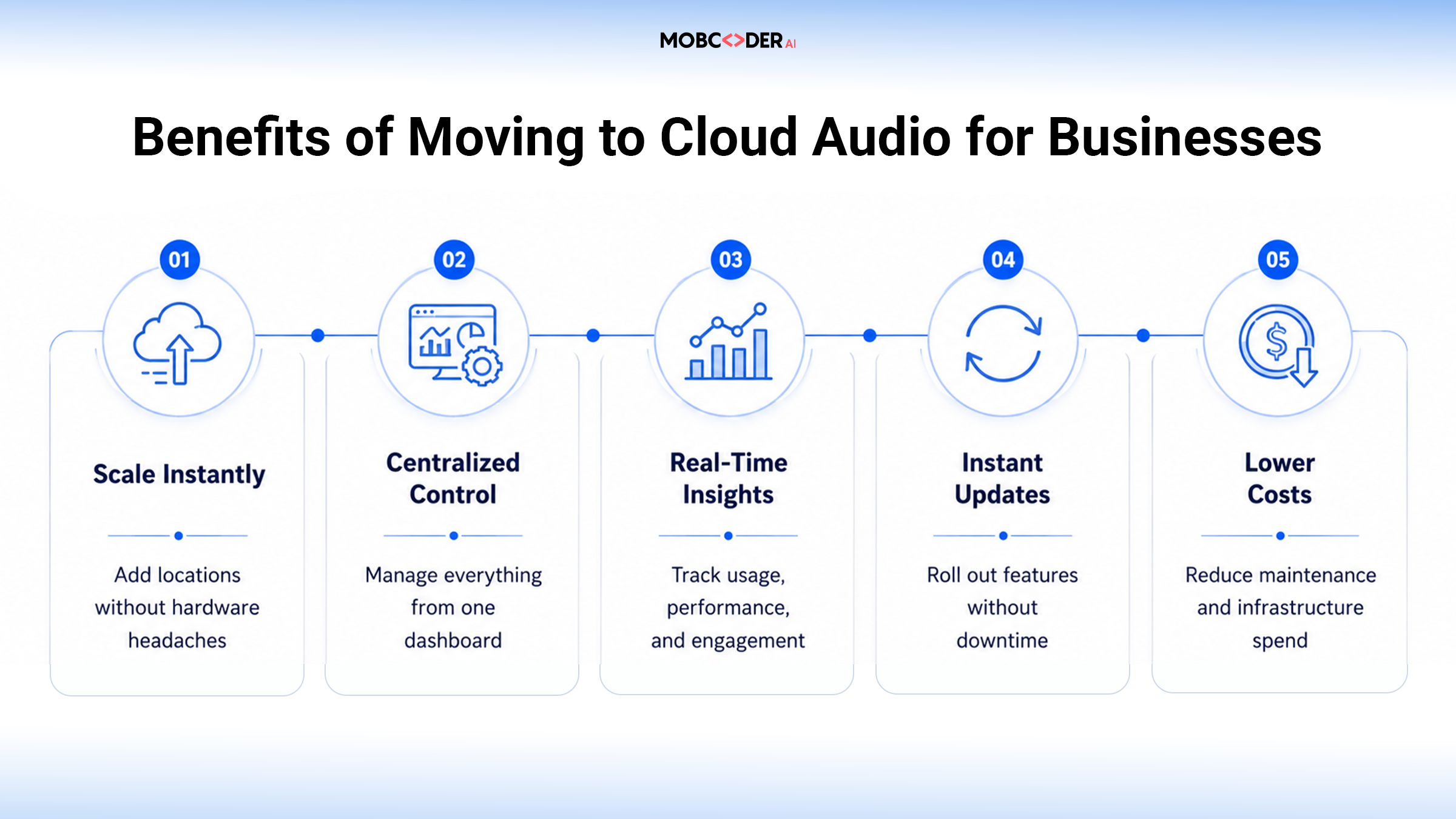
Upgrading a company's audio or paging system used to mean new hardware, new wiring, a weekend of downtime. Cloud connected audio flips that.
Scaling becomes software configuration instead of physical installation - adding a hundred retail locations often just means provisioning them in a dashboard. Centralized management means an IT team can push a firmware update or troubleshoot an offline device from one console instead of visiting every site. And because everything runs through the cloud, businesses get real-time analytics: which zones are actively playing audio, when a device went offline, how often an announcement was triggered.
This is also where "audio infrastructure" and "AI infrastructure" start to blur. Once a sound system is cloud-native, layering in transcription, sentiment analysis, or automated response becomes a short step - the kind of work that falls under broader AI development services.
Where AI Agents Are Changing What This Category Means
Cloud connected audio used to just mean streaming and remote control. Increasingly, it means audio systems that can act on what they hear.
Take a corporate call center already running on a cloud audio pipeline. Add an agent that listens in real time, flags compliance risks, and routes the call to the right specialist - and the audio system stops just transporting sound and starts making decisions.
The pattern extends to infrastructure itself. A system watching the health of the cloud audio pipeline - latency spikes, packet loss, device dropouts across thousands of endpoints - can reroute traffic before users notice a glitch, the same underlying approach covered in our piece on server intelligence agents. And a security-focused layer can screen voice-based communications for phishing or policy violations before a broadcast goes out to an entire organization.
None of this works well without solid generative components underneath - natural-sounding text-to-speech, real-time translation, voice cloning for personalized alerts. That's typically where generative AI development services come in, handling the content generation these agents rely on to sound human rather than robotic.
Real-World Use Cases
- Smart homes and consumer devices - voice assistants, video calls, synced headphone settings, all running through cloud connected audio every time you ask for the weather.
- Enterprise communication - cloud-connected audio delivers voice calls through cloud-based platforms using internet protocols rather than traditional hardware telephony, folding conferencing, collaboration, and phone systems into one stack. This matters more as hybrid work grows - a majority of enterprises now run some form of remote or hybrid communication system.
- Retail and hospitality - background music and promotional announcements across dozens of stores, managed from one dashboard instead of a local amplifier per store.
- Healthcare - nurse call systems and patient paging, updated and monitored centrally, which matters when a hospital runs on tight compliance requirements.
- Call centers - real-time call routing, translation, and voice analytics, increasingly powered by the agent layer described above.
Findability Is Its Own Problem
As cloud audio libraries grow - podcasts, call recordings, voice notes, training clips - finding a specific moment in hours of audio becomes a challenge of its own. The fix borrows from a problem the visual-search world solved first: instead of matching keywords, systems convert audio into embeddings and search by meaning - "find the call where the customer mentioned a refund" - the same similarity search approach used for images, applied to sound.
Security Can't Be an Afterthought
Piping every conversation through the cloud raises an obvious question: who's watching it, and who's responsible when something goes wrong? A company can have the most advanced voice AI stack in the world, but if nobody owns the policy for retention, access, or consent, the technology becomes a liability instead of an asset. This is the same argument we've made about AI transformation being a governance problem more than a technology one - cloud audio is just a clear example of it in practice.
Encryption in transit and at rest is table stakes now, not a differentiator. Role-based access control matters as much for a voice system as a database. And a dedicated security layer screening for anomalies continuously beats relying on quarterly audits that catch problems months too late.
Common Challenges Teams Run Into
Latency is the silent killer. A half-second delay is tolerable for a trivia answer, unacceptable on a live call or hospital intercom. Getting latency down means edge caching, regional server placement, and codecs that prioritize speed - decisions made early in the architecture, not patched in later.
Bandwidth at the edges. The system assumes a decent internet connection, and that assumption breaks in rural areas, older buildings, or unreliable regions. Resilient systems need graceful degradation - cached announcements, local fallback modes - rather than going silent the moment connectivity drops.
Vendor lock-in. Many platforms are built around proprietary APIs and codecs, which is fine until you want to switch providers and half your stack needs rebuilding. Favoring open standards saves pain years down the line.
Data privacy across jurisdictions. Audio infrastructure spanning multiple countries means dealing with several privacy laws at once, often with conflicting requirements.
Best Practices for Rollout
- Start small - pilot in one location or team before a company-wide rollout, surfacing problems while they're cheap to fix.
- Build monitoring from day one, not after the first outage.
- Document consent and retention policies before recording a single call.
- Choose codecs and protocols based on your actual use case, not whatever the vendor pushes hardest.
Final Thoughts
Cloud connected audio isn't a niche upgrade - it's become the default way modern devices and businesses handle sound. The shift from "smart hardware" to "smart cloud, dumb endpoint" mirrors what already happened with computing and storage a decade ago, and it's opening the door for AI agents to do far more than just play a file or route a call.