


Google Lens alone handles over 20 billion visual searches every single month. Of those, 20% are directly shopping-related. And the global visual search technology market was valued at $40 billion in 2024 and is on track to exceed $150 billion by 2032.
This is already happening - AI-powered image search is reshaping how people find products, verify content, and discover brands online, right now, not in some future version of the internet.
Image search techniques allow users to search using photos instead of words. From reverse image search and visual similarity search to AI-powered object recognition, these technologies help users identify products, verify content, discover locations, and retrieve visually similar images in seconds.
In this guide, we break down major image search techniques, how image search works with AI, the 10 best image search tools in 2026 and what this means for your business.
What are Image Search Techniques?
Image search lets you find information using a photo instead of typed words. In 2026, there are seven core techniques: keyword-based search, advanced keyword structuring, reverse image search, visual similarity search, content-based image retrieval (CBIR), facial and object recognition, and pattern-and-color search - powered by computer vision, deep learning, and increasingly multimodal AI that reads image, text, and voice together.
But that definition undersells it. Modern AI image search is not just "find this photo online." It is a technology that can:
- Identify every product in a photograph and provide shoppable links
- Tell you whether an image has been stolen, edited or posted out of context, including AI-generated fake images, which are a growing concern for US brands
- Find a building from a single tourist photo and pull up reviews, history, and directions
- Search a database of millions of medical scans to find similar diagnostic cases
- Match patient scans, satellite imagery, or engineering diagrams to existing databases - enabling precision retrieval in specialized industries
- This is why understanding image search techniques matters for business leaders, not just developers. The question is not "is visual search relevant to us?". The question is "how are we using it, and how are our competitors?"
How Do Image Search Techniques Work?
Before exploring the different types of image search techniques, it helps to understand the technology that makes them possible.
When you upload an image to a search system, the AI does not "see" a photo the way you do. It breaks the image down into thousands of tiny data points: colors, edges, shapes, textures, and patterns. It then compares those data points against a massive database of indexed images and returns the closest matches.
The technology that makes this possible has a few names you will hear often:
Computer Vision: Teaches machines to interpret what is in a visual. Think of it as giving a computer the ability to "read" images the way your eyes do.
Deep Learning: A type of AI that gets smarter the more images it processes. This is why image recognition technology has gone from "roughly identifies a cat" to "identifies the breed, posture, and even emotion of that cat."
Content-Based Image Retrieval (CBIR): Instead of searching by the text labels attached to an image, this searches by the actual visual content. More on this below.
Multimodal AI: The newest frontier. Systems that understand a query combining text, image, and voice at the same time. Google's Gemini-powered search now does this natively.
Companies like Google and Anthropic, covered in our roundup of the hottest AI startups in Silicon Valley, are driving much of this shift toward multimodal search.
Types of Image Search Techniques
There is no single image search technique that fits every use case. Here is a breakdown of each one and when it matters for your business.
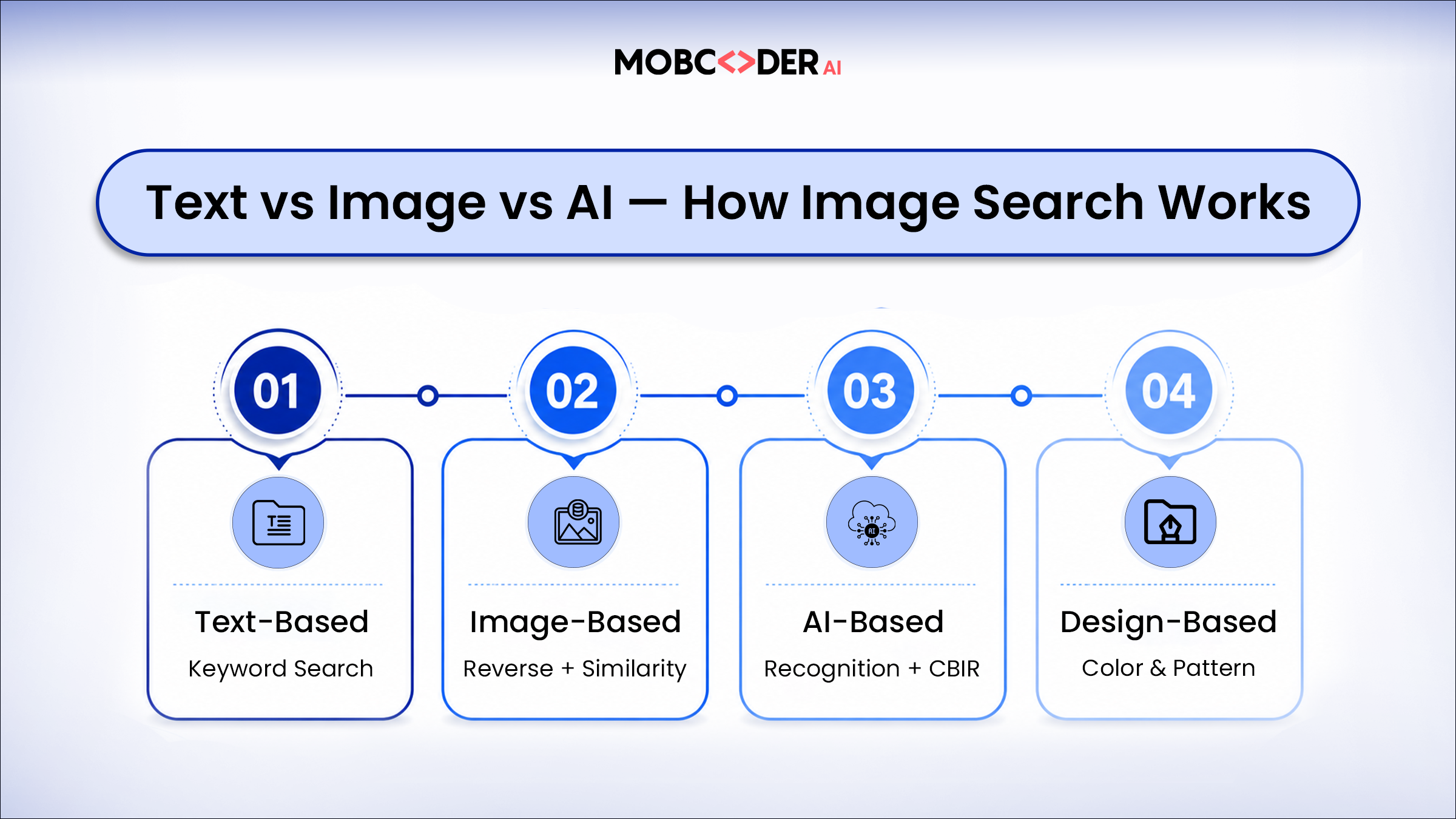
1. Keyword-Based Image Search
This is the most familiar image search technique and the starting point for most users. You type a descriptive phrase - "blue running shoes," "sunset over mountains," "modern office interior" - and the search engine returns images whose metadata, captions, alt text, and surrounding content match that description.
Keyword-based image search is fast, accessible and effective for general queries where you can clearly describe what you are looking for in words. It is the go-to method for marketers finding stock images, designers looking for visual inspiration, and anyone with a clear mental picture they can put into words.
The limitation is that it depends heavily on how well images have been labeled. An image with missing or poor alt text may never appear in keyword results regardless of its visual content.
For example: A user searching for "modern office interior design" on Google Images is using keyword-based image search. The search engine returns images based on file names, alt text, captions, and surrounding page content.
2. Reverse Image Search
Reverse image search flips the traditional search model. Instead of describing what you want to find, you upload an image and ask the search engine to find where else that image appears online, what it contains, or what is visually similar to it.
This is one of the most powerful image search techniques available, with a wide range of practical applications:
- Verifying whether a news photograph is authentic or has been reused out of context
- Finding the original source or creator of an image
- Identifying whether your own brand visuals are being used without permission
- Discovering higher-resolution versions of a low-quality image
- Checking whether product images are original or copied from another website
Google Images, TinEye, and Yandex Images are the most widely used platforms for reverse image search. Each has different strengths - TinEye specializes in tracking exact image copies, while Google Images and Yandex are stronger at finding visually similar results even when the image has been cropped, resized, or color-adjusted.
A quick example from our own experience: we were using Apollo.ai to pull CEO, CTO, and other decision-maker contact data for a company, and a few similarly named brands kept showing up in the results. We weren't sure which one was actually the correct, official domain. Instead of guessing from the text results, we copied the brand's logo and ran it through Google's reverse image search - it landed on the exact domain URL in one shot. That's really the whole point of reverse image search: when a text query gets confused by similar-sounding brand names, an image cuts straight through the noise.
Another time, a client sent over a blurry, low-resolution logo pulled from an old PDF and asked us to use it in a new design. Rather than guessing or recreating it from scratch, we ran it through TinEye and found the original vector file sitting on the brand's own press page saving hours of redesign work and giving us a clean starting point to confirm we had the right, current version of their mark.
How to Perform a "Reverse Image Search": Step-by-step
- Google Images & Google Lens: upload a photo or drag-and-drop a file directly on Google Images. On mobile or in the Chrome browser, long-press any image and tap "Search image with Google Lens."
- TinEye: paste an image URL or upload the file at tineye.com - best for finding exact copies, edits, and tracking where a specific image has been reused.
- Yandex Images: upload the photo at yandex.com/images - it often surfaces matches for faces and objects that Google misses, especially from Eastern European sources.
3. Visual Similarity Search
Visual similarity search goes a step beyond reverse image search. Rather than looking for the exact same image or its direct copies, it identifies images that share visual characteristics - similar composition, color palette, style, texture, or subject matter - even when the images are entirely different photographs.
This technique is particularly powerful in eCommerce, where a customer might photograph a product they like in a store and want to find something similar to buy online. It is also widely used in fashion, interior design, and digital asset management, where finding visually consistent content matters more than finding an exact match.
AI-powered visual search platforms like Google Lens and Pinterest Lens have made visual similarity search mainstream. Businesses building custom applications can access similar capabilities through computer vision APIs.
For example: A customer photographs a sofa in a hotel lobby and uses Google Lens to find visually similar products available for purchase online.
We ran into this exact problem while organizing a client's product catalog over 300 images with inconsistent filenames like IMG_2041.jpg, making it impossible to tell which shots belonged to which product variant. Rather than opening each file manually, we ran a handful of reference images through Google Lens and grouped near-identical matches in a fraction of the time it would've taken to sort them by eye. It turned a multi-day manual task into an afternoon's work.
How to Perform "Visual Similarity Search": Step-by-step
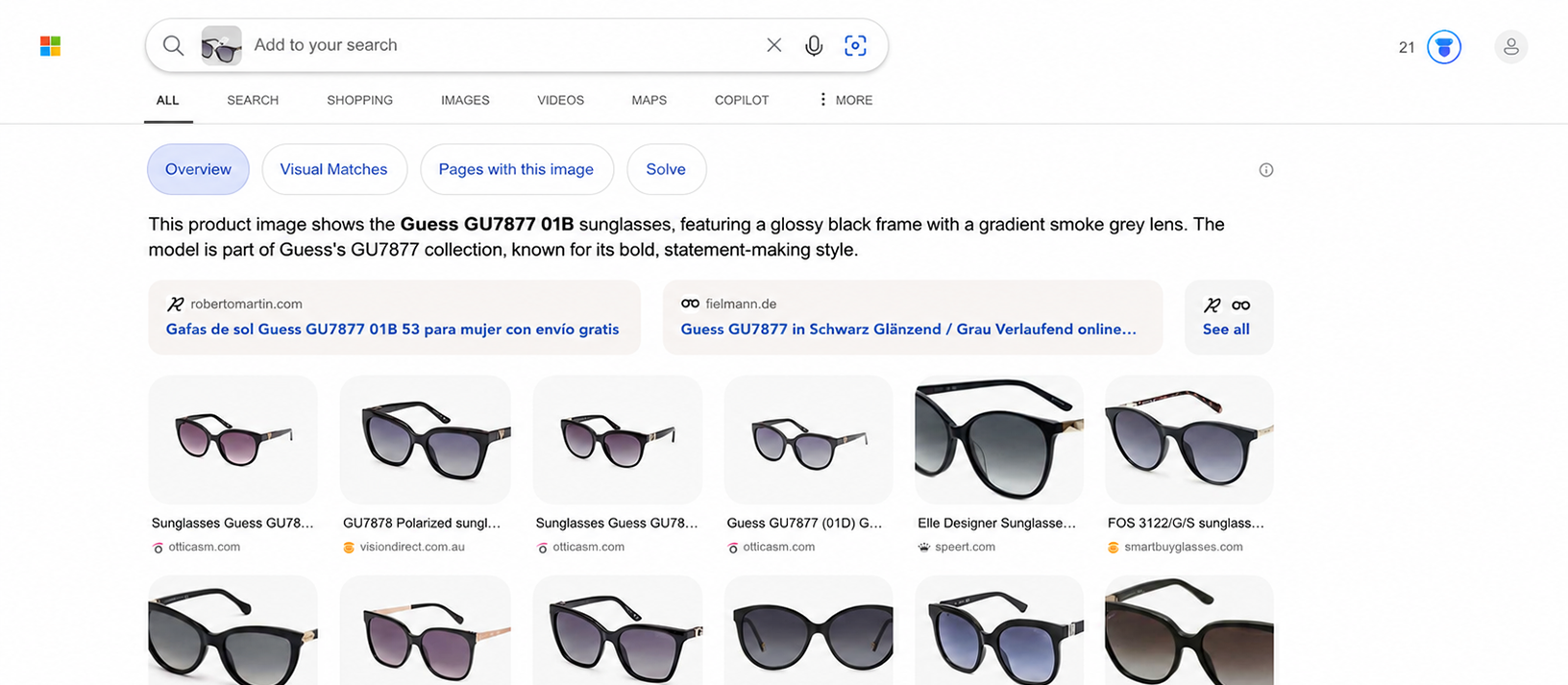
- Bing Visual Search: open bing.com/visualsearch, upload an image, then drag the selection box over just the one object you care about - Bing will search that cropped region only, which is useful when a photo has several products in it.
- Pinterest Lens: tap the camera icon in the Pinterest app, point it at (or upload a photo of) furniture, an outfit, or a room, and Pinterest returns visually similar ideas and shoppable products based on style and composition, not just the exact item.
4. Content-Based Image Retrieval (CBIR)
Content-based image retrieval is a more technical image search technique used primarily in enterprise and research settings. Rather than relying on metadata or text descriptions, CBIR systems analyze the actual visual content of images - their color histograms, texture patterns, shape features, and spatial relationships - to find matches.
CBIR is used in medical imaging to find similar diagnostic scans, in legal and intellectual property cases to identify unauthorized image use, in satellite imagery analysis to detect changes over time, and in large-scale digital asset management systems where tagging every image manually is impractical.
Building a robust CBIR system requires significant AI and machine learning expertise - but for organizations managing large visual datasets, it delivers retrieval accuracy that no metadata-based approach can match.
For example: A radiologist uploads a lung scan into a medical imaging database to find similar cases and support diagnosis. This is a practical application of content-based image retrieval (CBIR).
5. AI Image Search: Facial and Object Recognition
Facial recognition search identifies specific individuals in images and finds other photographs featuring the same person. Object recognition search identifies specific items - vehicles, furniture, clothing, landmarks, animals - and returns related results.
These techniques sit at the intersection of image search and AI-powered visual intelligence. They are used in security systems, law enforcement, social media platforms, customer service applications, and accessibility tools that describe visual content for users with visual impairments.
For businesses, object recognition search enables compelling customer experiences - a shopper pointing a phone camera at a product can instantly see pricing, availability, and alternatives. A traveler photographing a restaurant can immediately pull up reviews and menus.
Example: A shopper points their smartphone camera at a pair of sneakers and instantly receives product details, pricing, and similar alternatives.
6. Pattern and Color-Based Search
Pattern and color-based search allows users to find images based on their dominant visual characteristics, a specific color scheme, repeating patterns, or graphic style - without necessarily searching for a particular object or scene.
This technique is widely used in graphic design, fashion, interior design, and brand consistency work. If you need an image that matches your brand color palette, or want to find textile patterns similar to a specific design, color-based and pattern-based search delivers results that keyword search cannot.
A quick example: while building a moodboard for a client's rebrand, we needed textile references that matched a specific muted-terracotta palette without knowing the pattern names. Instead of typing "warm orange geometric pattern" and scrolling through hundreds of loosely related stock results, we uploaded a swatch photo to Pinterest and filtered by color - it surfaced fabric and wallpaper matches within the exact tone range in minutes, something a text query alone kept missing.
7. Advanced Keyword Structuring
Sometimes a text query is still the fastest way in but most people search too vaguely. A layered structure of Subject + Context + Style consistently returns sharper results than a plain object name. Instead of "jacket," try "men's leather jacket, studio lighting, editorial style." The subject narrows what's in frame, the context narrows the setting, and the style narrows the visual treatment.
Most image search engines also let you stack filters on top of this, image size, dominant color palette, usage rights (for finding images safe to reuse), and file type (photo vs. vector illustration vs. icon). Combining a structured query with filters is usually faster than uploading a reference photo when you don't have one yet.
We tested this directly: searching just "jacket" on a stock platform returned over 40,000 loosely relevant results dominated by generic product shots. Restructuring the same query as "men's leather jacket, studio lighting, editorial style" cut the relevant result set down to a tight, usable batch on the first page- no reference image needed, just a better-structured text query.
Best Tools Used for Image Search in 2026
Understanding the techniques is one thing. Knowing which tools implement them best - and which ones are most widely adopted by businesses in the United States - is what makes the difference in practice. Here are the 10 best image search tools in 2026.
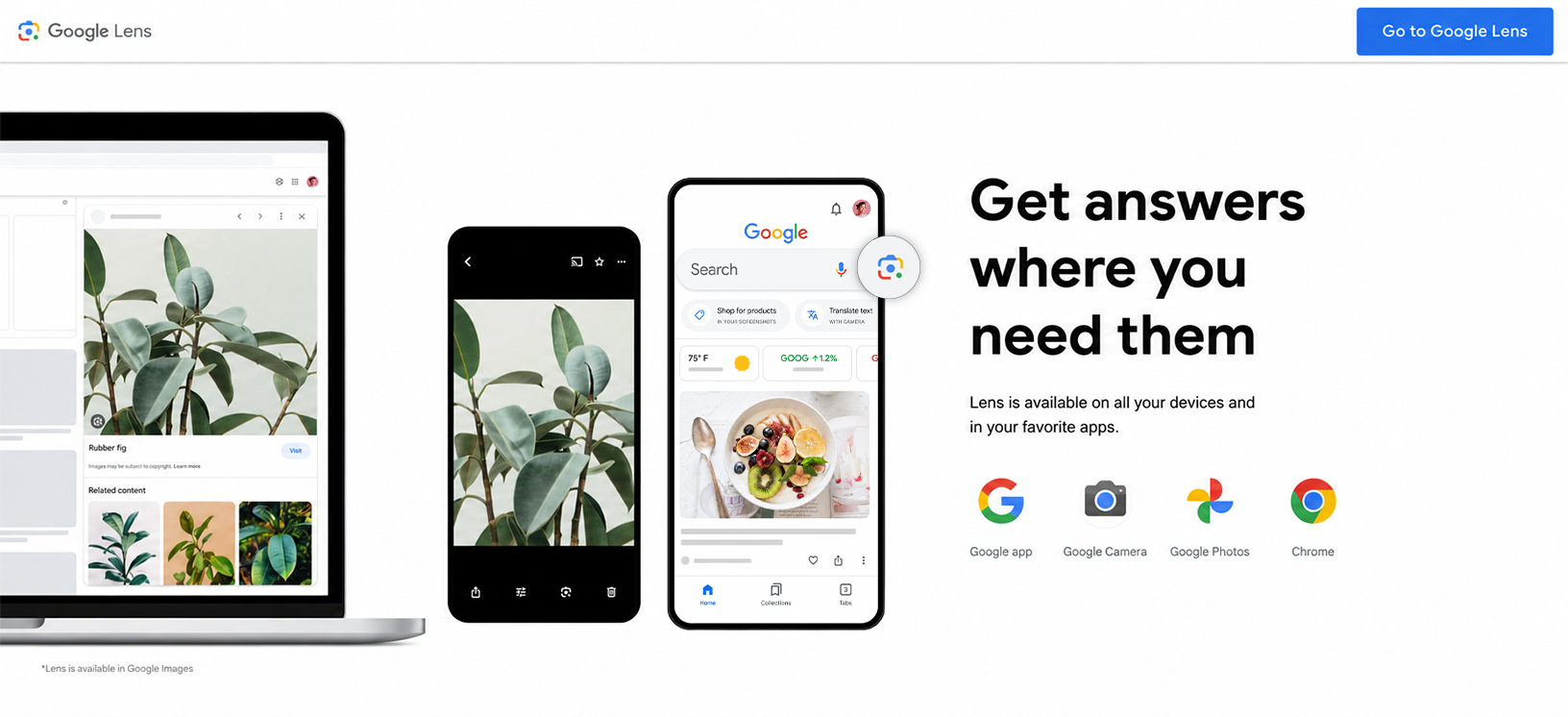
1.Google Images and Google Lens
One of the most accessible all-purpose image search tools, covering keyword search, reverse image search, and visual similarity search in a single platform. Google Lens adds the ability to search using a live camera feed, making it ideal for mobile use cases. With the integration of Gemini AI, Google Lens can now handle multimodal queries - combining image, text, and voice in a single search - setting the new baseline for what users expect from visual search.
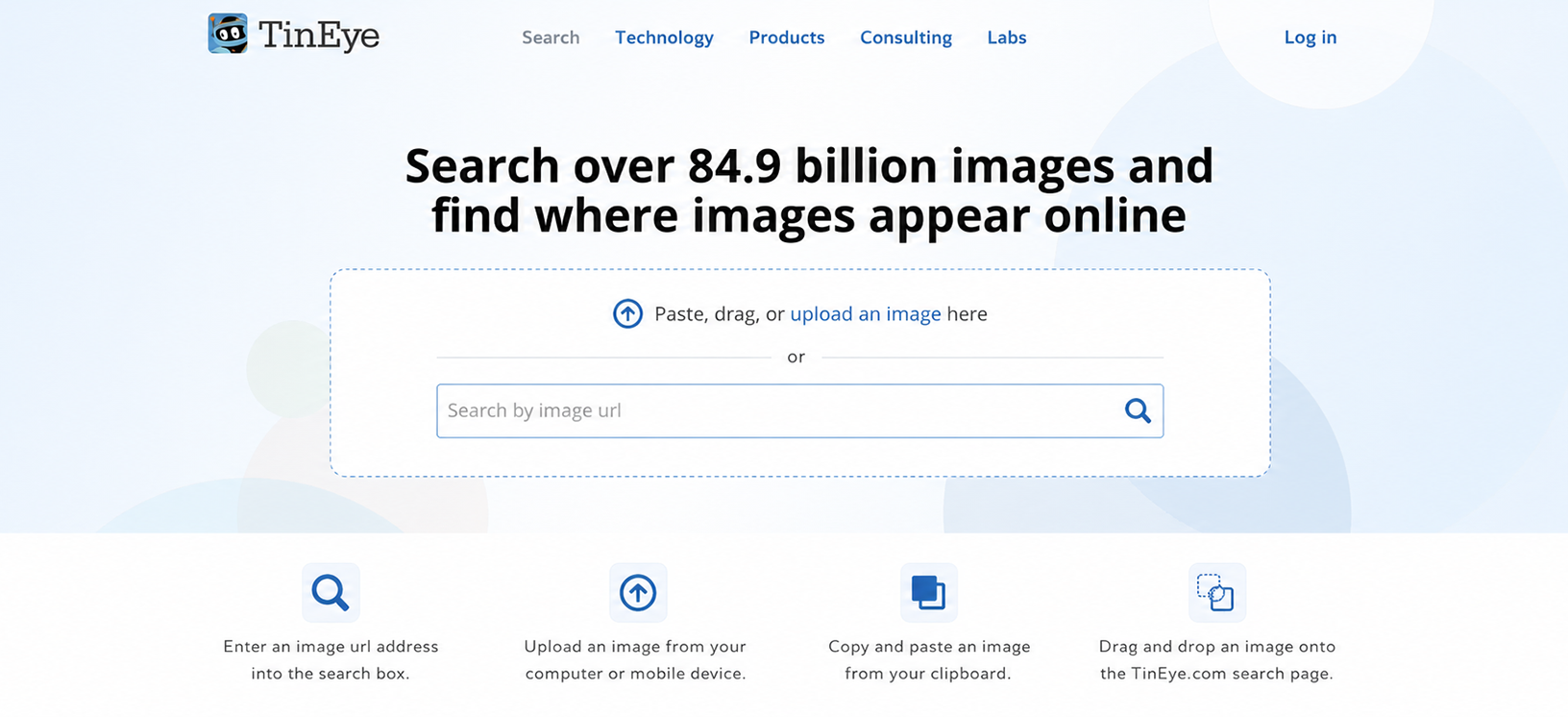
2.TinEye
A specialist tool for reverse image search focused on finding exact copies and tracking image usage across the web. It is the standard choice for copyright protection and image attribution work. TinEye's strength lies in its historical index - it can find copies of an image even if they were posted years ago, resized, or lightly edited, making it indispensable for photographers and legal teams.
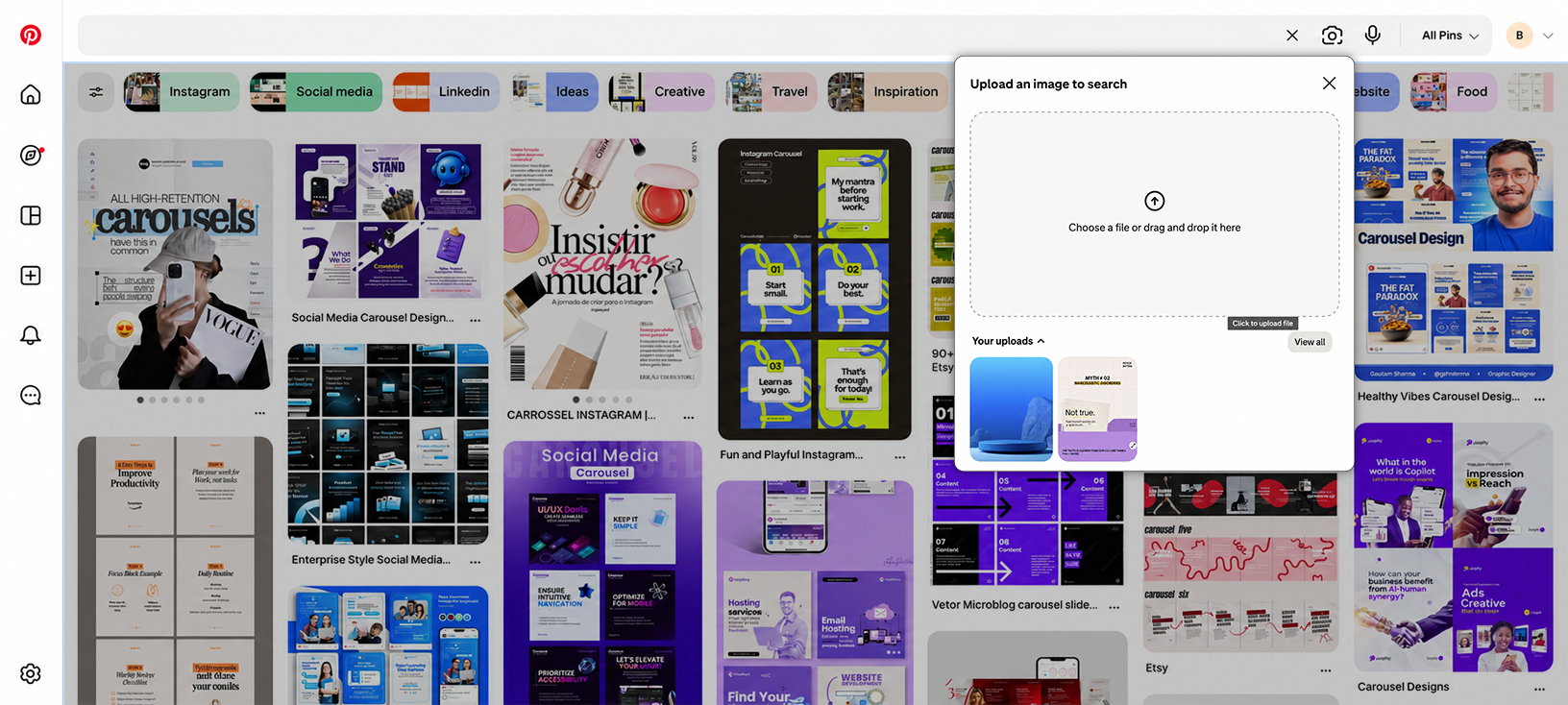
3.Pinterest Lens
It excels at visual similarity search within lifestyle, fashion, food, and home decor contexts - making it a strong tool for consumer brands and content creators. For US-based brands in fashion and lifestyle, Pinterest Lens is particularly valuable because its user base actively uses the platform to discover and purchase products, making visual search directly tied to buying intent.
4.Bing Visual Search
A tool for strong object and product identification capabilities, with a shopping-focused feature set that makes it useful for eCommerce applications. A standout feature is the ability to highlight a specific region of any image and search only that portion - useful for isolating a single product in a lifestyle photograph.
5.Yandex Images
These are particularly strong at facial recognition and reverse image search, often returning results that Google misses - especially for images from Eastern European and Russian sources. Journalists and investigators frequently cross-reference Yandex results with Google to build a more complete, verified, and context-rich picture of a subject or event.

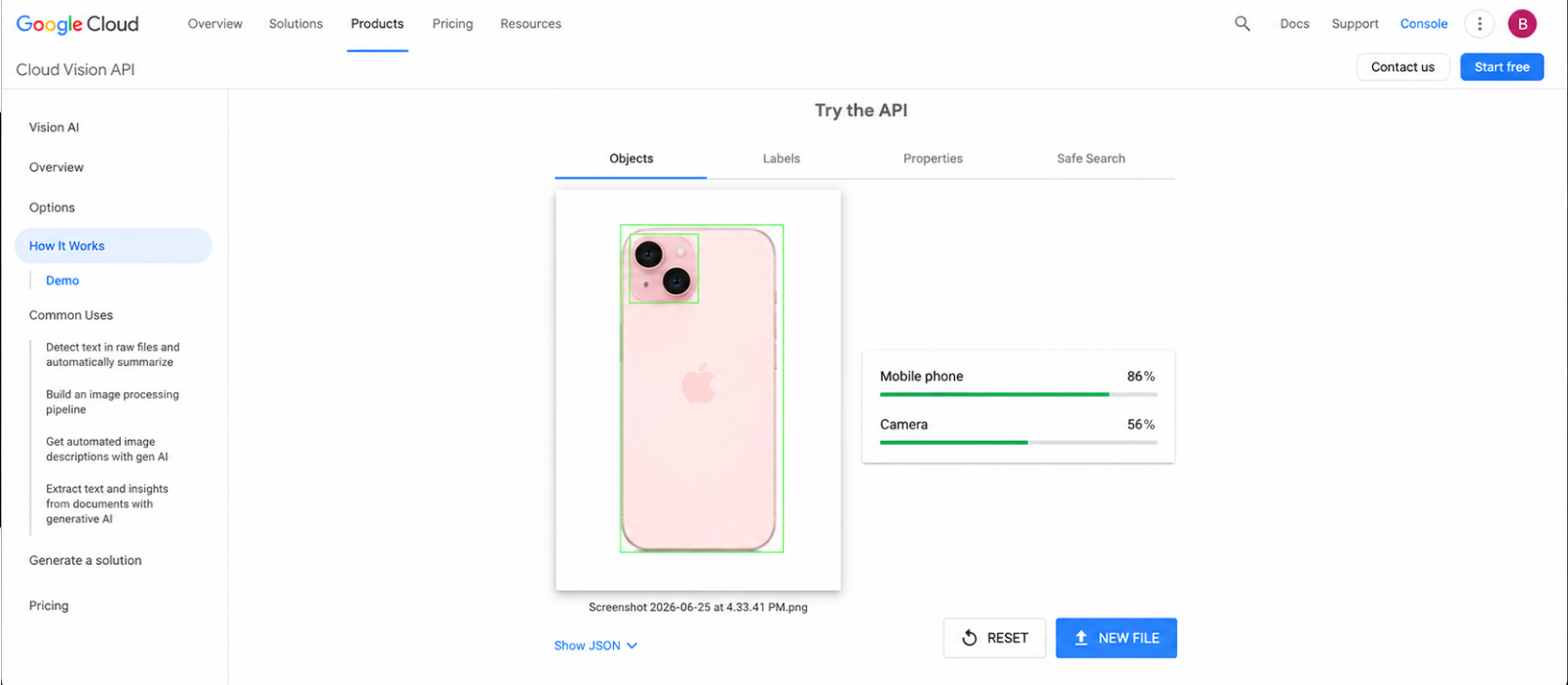
6.Google Cloud Vision API
This tool gives developers programmatic access to the same image intelligence that powers Google Lens and Google Images. It supports label detection, landmark identification, logo recognition, explicit content detection, OCR, and object localization. For technical teams building visual search features into their own products, it is one of the most accurate and well-documented options available - backed by Google's training data at a scale no custom solution can match.
Steps to get started with Google Cloud Vision AI :
Create or select a project at console.cloud.google.com and enable the Cloud Vision API from the API Library, new accounts get $300 in free credits, and the API includes 1,000 free label-detection requests a month.
For a no-code first test, use the embedded API Explorer on the Vision API docs page - point it at a sample image URL and click Execute to see the JSON response.
For production, install a client library (Python, Node.js, Java, Go, PHP, or Ruby) and call the images:annotate endpoints with your own images.
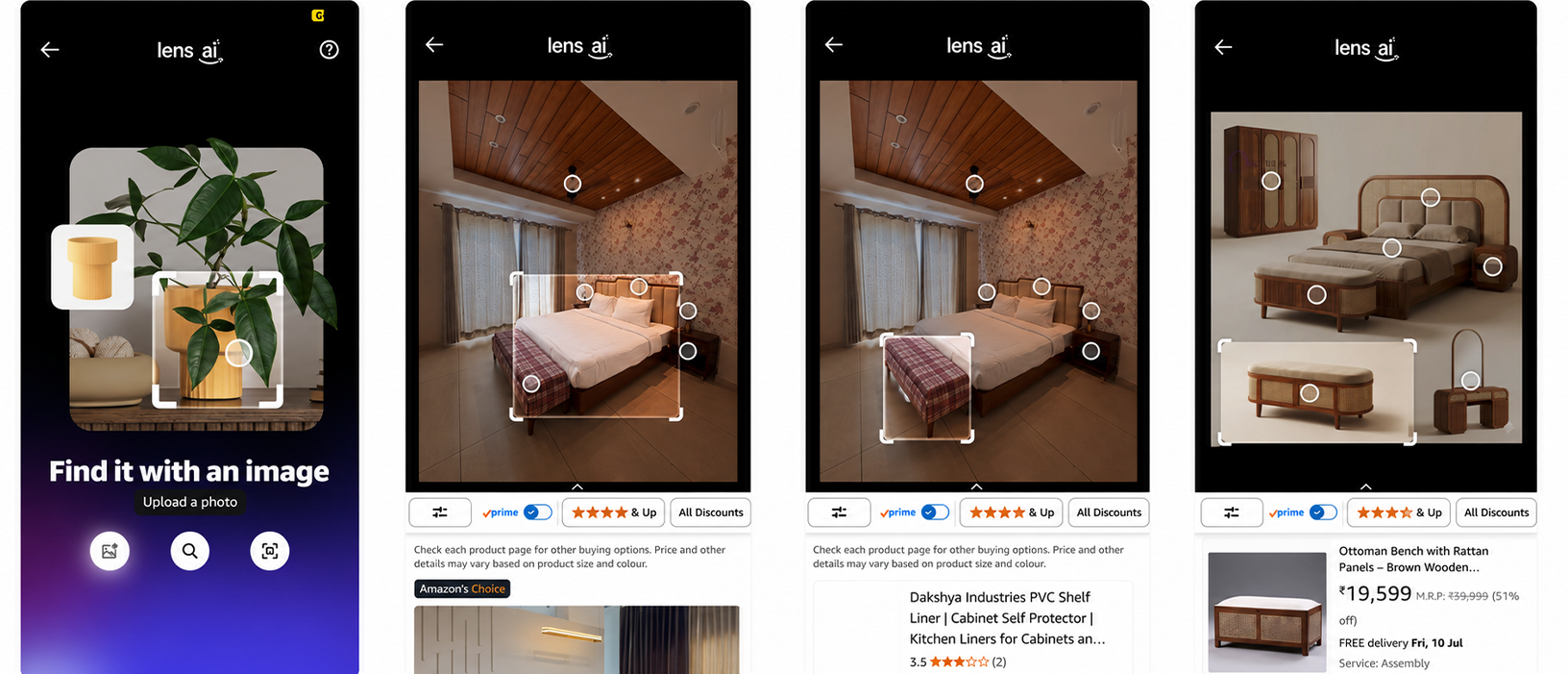
7.Amazon Rekognition
One of the leading cloud-based image and video analysis service for enterprises across the United States. Built on AWS, it offers object and scene detection, facial recognition, text extraction (OCR), content moderation, and custom label training - all via a simple API. For businesses already in the AWS ecosystem, it integrates seamlessly into existing workflows. Use cases include automated content moderation for media platforms, identity verification for fintech, and quality control in manufacturing.
Steps to get started with Amazon Rekognition:
Sign in to the AWS Console and search for "Rekognition" to open the service dashboard.
Use the console's built-in demos - Object and Scene Detection, Facial Analysis, Face Comparison - to upload your own image and see results with no coding required.
For production, use the AWS CLI or an SDK (Python/boto3, Java, Node.js) to call the Rekognition API directly - the free tier includes 5,000 API calls a month for the first 12 months.
8.Clarifai
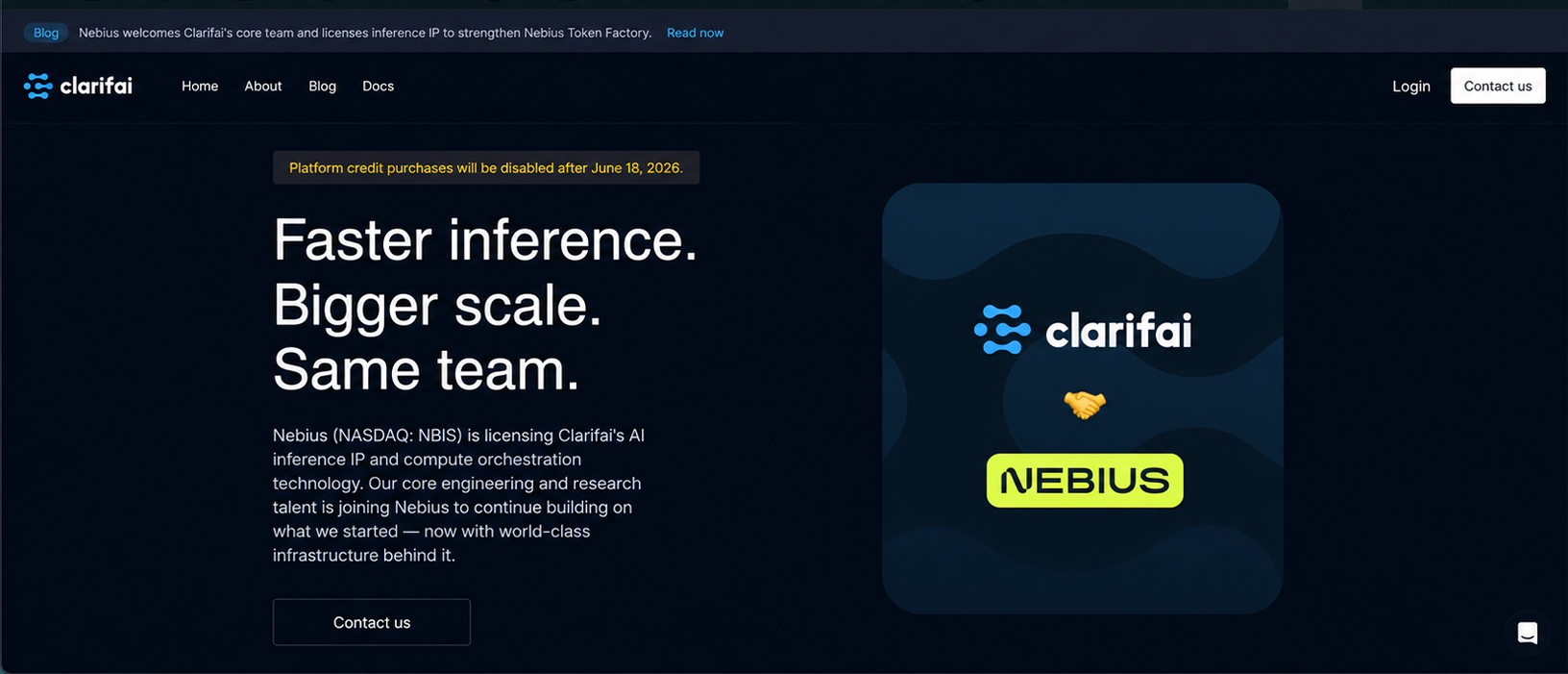
An AI vision platform that lets businesses build and deploy custom image recognition models without deep ML expertise. It offers pre-built models for general visual recognition, food, travel, apparel, and NSFW detection, alongside tools for training custom models on your own dataset. Its visual search SDK allows eCommerce platforms to add "find similar products" functionality. Clarifai is particularly well-regarded in the US media and retail sectors.
Steps to get started with Clarifai:
Browse the Clarifai Community and pick a pre-built model, such as General Image Recognition or Face Detection.
Click "Try Your Own Input" on any model's page to upload a photo and see predictions instantly - no account needed just to test.
For app integration, sign up for an account, get your PAT (Personal Access Token) and App ID from Settings, then call the model through the Python SDK or REST API.
9.Shutterstock's
Reverse image search of this tool goes beyond stock photo discovery. For photographers, designers, and creative agencies, it functions as an image tracking tool - allowing contributors to monitor where their licensed visuals appear online and flag unauthorized uses. For creative businesses that need to enforce licensing agreements at scale, Shutterstock's reverse search is one of the most practical options available.
Steps to get started with Shutterstock Reverse Search:
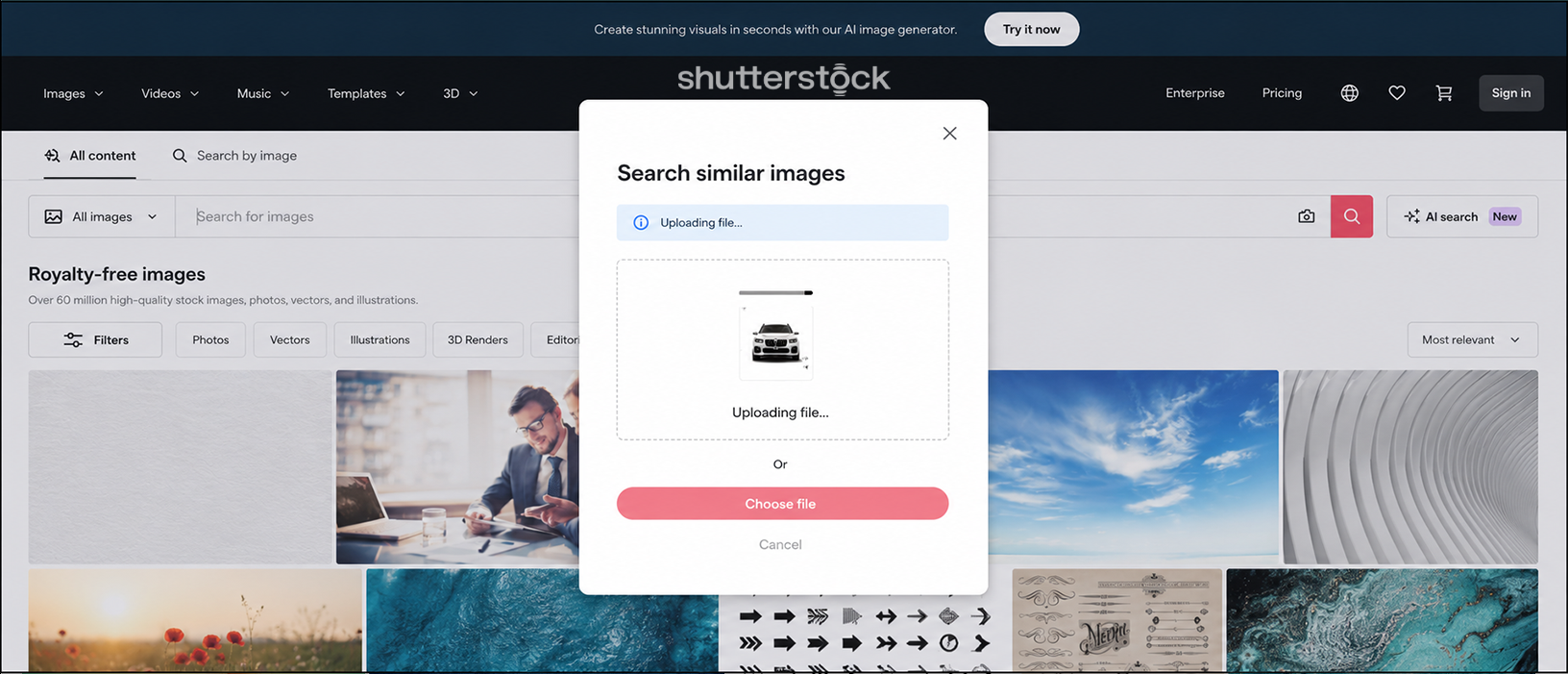
Go to shutterstock.com and click the camera icon inside the search bar, then upload or drag-and-drop an image (up to 5MB, max 4000px per side).
Shutterstock's computer-vision model scans the image against 200M+ licensed assets by pixel data (not keywords) and returns visually similar, licensable results.
To embed reverse image search inside your own product, Shutterstock's API offers a Reverse Image Search widget component - this requires a paid API subscription (separate from a regular Shutterstock account).
10. Lenso AI
It takes reverse image search further with AI-driven matching and an alert system that notifies you whenever your uploaded image appears online. Unlike Google, which focuses on finding the closest visual match, Lenso AI tracks duplicate usage over time and supports face search. For brand protection, catfish detection, and stolen content monitoring, Lenso AI offers capabilities that general-purpose search engines do not. It is increasingly used by marketing teams in the US to track unauthorized use of visual assets.
How to get started with Lenso AI:
Go to lenso.ai and upload a photo - drag-and-drop, paste from clipboard, or pick a file - then choose a result category (People, Places, Duplicates, Similar, or Related) to narrow the results.
Turn on Alerts under the uploaded image to get email notifications whenever a new match appears online - this is the brand-protection/monitoring use case described above.
For your own app or workflow, a Developer subscription unlocks the Reverse Image Search & Face Search API.
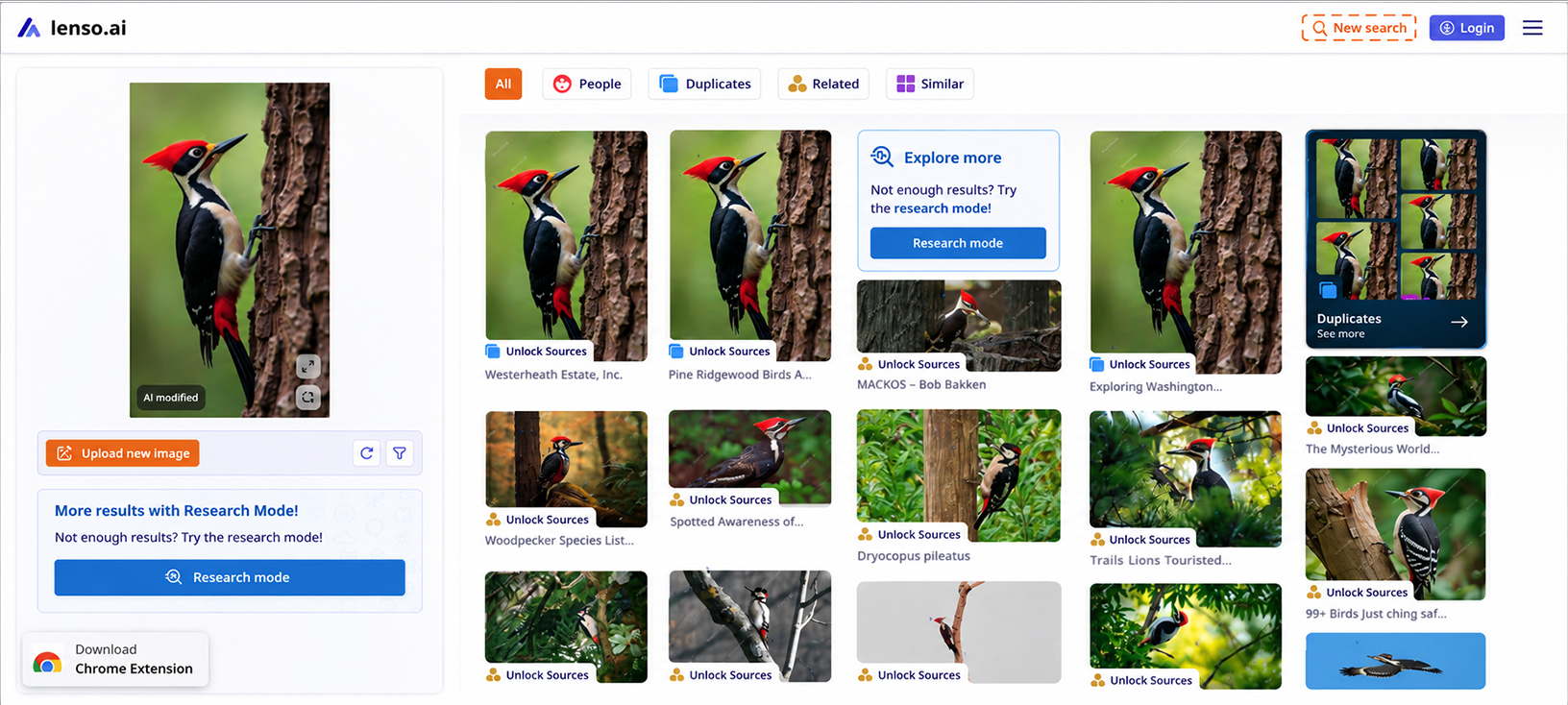
Image Search for Business: Real Industry Applications
These are not hypothetical use cases. They are the problems that companies are actively solving with image search techniques right now.
e-Commerce - Visual search allows shoppers to find products by photographing items they like. This reduces friction in the purchase journey and increases conversion rates for retailers who implement it well.
Digital Marketing and Brand Management - Reverse image search helps brands monitor how their visual assets are being used online, identify unauthorized usage, and track the reach of visual campaigns.
Journalism and Media Verification - Reverse image search is a core fact-checking tool, used to verify whether images circulating on social media are authentic, correctly attributed, or being used in misleading contexts.
Healthcare and Medical Imaging - Content-based image retrieval helps radiologists find similar diagnostic images from large databases, supporting faster and more accurate diagnoses.
Legal and Intellectual Property - Image search techniques are used to identify copyright infringement, track unauthorized use of licensed images, and gather evidence in intellectual property disputes.
Real Estate - Visual search helps buyers find properties with specific architectural styles, interior design features, or landscape characteristics.
AI and Machine Learning Development - Teams building AI models use image search to curate training datasets, find edge cases, and evaluate model performance on visual tasks.
What Technical Teams Need to Know About Image Searches
If you are evaluating or building image search features, here is what matters in 2026:
- Multimodal is the new baseline
Systems that handle image-only or text-only queries are being replaced by multimodal search that combines both plus voice. When building new visual search features, plan for multimodal inputs from the start. Google's AI Mode and Gemini integration mean that user expectations around image search are being set by a bar that combines all three input types simultaneously.
- Pre-trained models have dramatically lowered the barrier to entry
A few years ago, building a production-quality visual search system required enormous labeled datasets and significant ML expertise. Today, fine-tuning pre-trained vision models on your specific use case is accessible to most competent engineering teams. The question is less "can we build this?" and more "do we have the domain expertise to build it correctly?"
- On-device processing is growing
Google Lens runs Gemini Nano locally on device for certain queries. This shifts some image recognition technology off the cloud and onto the phone itself, reducing latency, improving privacy, and enabling offline functionality. For product teams building mobile visual search, on-device inference is worth evaluating.
- Image SEO is becoming visual SEO
As AI image search drives more discovery, the technical requirements for image optimization are expanding beyond alt text and file names. Structured data markup, image sitemaps and visual content quality all increasingly affect how well your images perform in visual search results.
How Mobcoder Applies AI Image Search and Visual AI
At Mobcoder AI, we don’t treat image search techniques and computer vision as abstract concepts. They are capabilities we build into real-world AI solutions for our clients.
Our computer vision services include building custom visual search systems, image recognition models, and AI-powered visual intelligence applications. Whether you need a product visual search feature for an eCommerce platform, an image analysis pipeline for a media company, or a custom content-based image retrieval system for enterprise data management, we build solutions that match your specific use case and scale requirements.
We also integrate visual AI capabilities into broader AI product development engagements, combining image search with NLP Services, AI data analytics and machine learning to create systems that understand the world through multiple types of data simultaneously.
The future of search is multimodal - combining text, image, voice, and context into a single intelligent experience. The organizations investing in visual AI capabilities today are building the competitive infrastructure that will define their markets over the next decade.

Best Practices for Effective Image Searching
Getting the most out of image search techniques requires more than knowing which tool to use.
- Be specific with keyword descriptions. The more precise your text query, the more relevant your results. "Blue suede loafers men" returns better results than "blue shoes."
- Use high-quality source images for reverse search. Higher resolution images give the search engine more visual data to work with, producing more accurate matches.
- Cross-reference multiple tools. No single image search platform indexes everything. Running the same query across Google Images, TinEye, and Yandex often surfaces results that any single platform misses.
- Optimize your own images for search. If you are publishing images on a website, use descriptive file names, write accurate alt text, add structured data markup, and ensure images are properly compressed without sacrificing quality. These steps make your images discoverable through keyword-based searches.
- Understand the limitations of facial recognition. Facial recognition search raises significant privacy considerations. Use it responsibly and in compliance with applicable regulations. For businesses deploying this at scale, this is also a governance and accountability question, not just a technical one.
- Use structured data (Schema.org ImageObject markup). Add Schema markup to images on your website so search engines can better understand and index your visual content - improving visibility in Google Image Search and Google Discover.
- Submit an image sitemap to Google Search Console. For sites with large image libraries, this is one of the most reliable ways to ensure all images are discovered and indexed by Google.
- Serve images in WebP or AVIF format. These modern formats offer better compression without quality loss, improving page load speed - a key Google ranking factor that also directly impacts image search discoverability.
The Future of Image Search Techniques
Image search technology is advancing faster than most people realize.
The integration of large language models with visual search is creating systems that understand images the way humans do, not just matching visual features, but interpreting context, emotion, narrative, and intent. These multimodal AI systems can answer questions about images, describe what is happening in a scene, and retrieve visually relevant results in response to complex natural language queries.
Augmented reality applications are making real-time visual search a mainstream experience - point your phone at anything and instantly receive information, pricing, alternatives, and context.
For businesses, the implication is clear. Visual search is becoming a primary interface for how people discover products, information, and services. The organizations that understand image search techniques today and invest in visual AI capabilities accordingly will be positioned to lead as that shift accelerates.
Conclusion
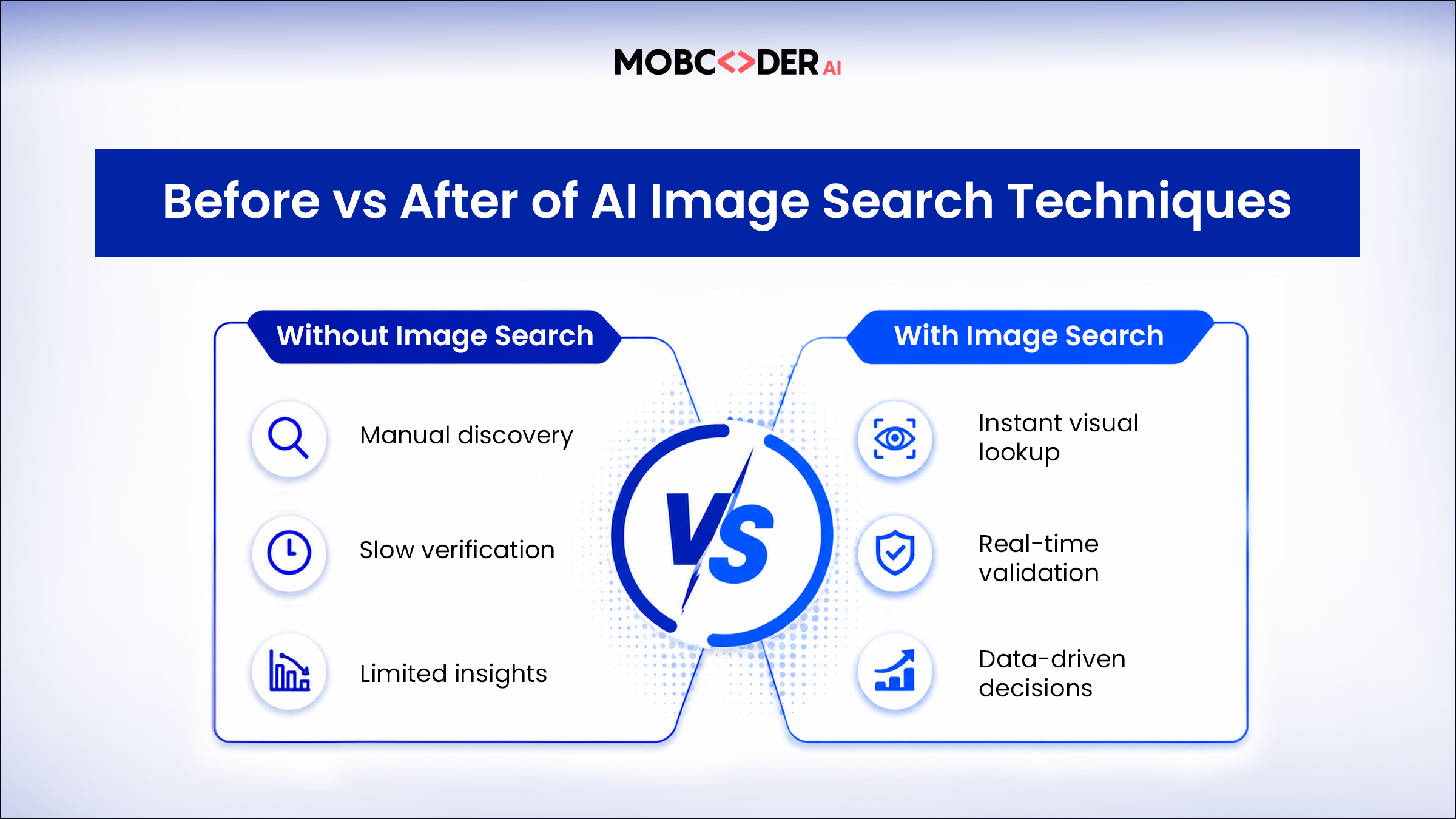
Image search techniques have moved from a novelty to a necessity. From simple keyword queries to AI-powered content-based image retrieval, each technique serves a different purpose - and knowing which one to apply in which situation is a genuine competitive skill.
The fundamentals are accessible to anyone: understand your search goal, choose the right technique and tool, and apply it consistently. The advanced applications - custom visual search systems, AI-powered image recognition, content-based retrieval at scale - require deeper AI and machine learning expertise.
If your organization is ready to explore what image search technology and computer vision can do for your business, Mobcoder AI is ready to help you build it.